


You might be asked for your IMEI number when registering your phone or if you are trying to sell an old one online. Unless you’re blank and trying desperately to find out what this number means, don’t worry if you don’t know what it is. Every mobile phone sold via official channels is given an IMEI (International Mobile Station Equipment Identity) number.
This number can be found on the back of the phone. If your phone is lost or stolen, it is instrumental for you to have this number on hand. Suppose you report your phone as stolen to the police. In that case, you are usually required to mention the IMEI number, and, depending upon the local laws, your phone may be blocked from accessing networks or placing calls by blocklisting its IMEI number.
The IMEI number is associated with a SIM slot; therefore, a phone with two SIM slots will have two IMEI numbers and vice versa. There is also a chance that tablets with cellular connectivity will also have an IMEI number.
As a result, the number can be beneficial in an emergency. In addition, if the device is located, you can use the IMEI number to establish that it is, in fact, your phone and confirm its authenticity. You can find the IMEI number of your phone by following the steps below.
When you have the phone:
How to Check IMEI with USSD code
There are several ways to find your phone’s IMEI number, but this is the simplest method. This method has the advantage of being more or less universal, which is one of the best things about it. You can try this on almost all feature phones and smartphones, so don’t go hunting for the phone’s bill before you try it out.
Dial *#06# on your phone.

You will now see the IMEI number. Take a screenshot or write it down somewhere safe.

How to Check IMEI Number on the Phone
IMEIs are also engraved on the back of iPhones 5 and newer; you can note them down by flipping the phone over. The IMEI is printed on the SIM tray of iPhones older than 4s.

This is the similar case to Android Phones, you can flip it over and check if your IMEI number is there.
How to Check Phone’s IMEI Number Via Settings
To see the IMEI number on Android, go to Settings

Navigate to About Section

You can view the IMEI information by tapping Status and scrolling down.

Scroll down to IMEI in Settings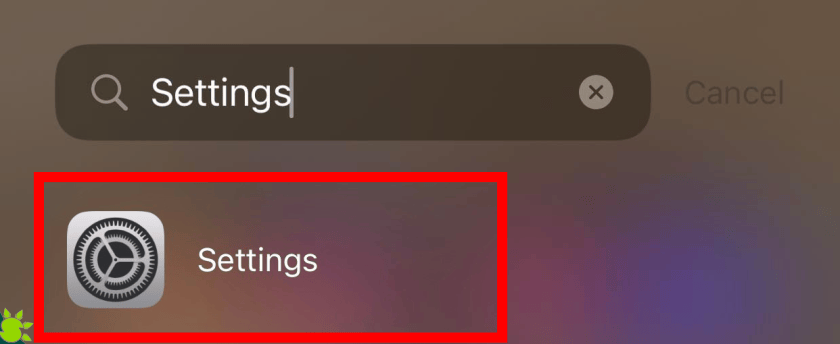
Proceed to General

Navigate to About Section.

At the bottom section you can find your iPhone’s IMEI number.

The IMEI is typically printed on a sticker under the battery of other phones with removable batteries. Please make sure the battery is in good condition by taking it out.
In the absence of a phone:
Check the phone’s IMEI number.
The retail box and the bill both contain the IMEI number, which is a good reason why they should be kept safe rather than thrown away. The package should at least be kept secure because it will be helpful if you need to check your phone’s IMEI later or if you want to resell the phone in the future. You will find the IMEI number on the sticker attached to the box’s side.
Android IMEI Number Check
Even if your phone has been lost, you can check its IMEI number. While all the methods mentioned above work perfectly and are faster, this can still come in handy if you’ve lost the phone and not kept the box.
- Use the Google account associated with the Android phone to access Google Dashboard.
- To access Android, click the green robot logo.
- The IMEI numbers of all devices registered to the account will be displayed.